
Winadda Deposit Not Working: Reasons, Solutions & Support Guide
If your Winadda deposit is not working, it can be confusing, especially when the amount has been deducted from your bank account, UPI, or wallet but has not reflected in your Winadda balance. Deposit issues can happen due to several reasons, including incorrect payment details, bank delays, payment gateway errors, poor internet connection, expired payment sessions, or temporary technical issues.
At Winadda, we understand that users expect a smooth and secure deposit experience. This guide explains the common reasons why a deposit may fail or remain pending, what steps you should take, and how to contact Winadda support if your payment still does not reflect.
Whether your deposit failed, got stuck, was debited but not credited, or is showing pending, the information below will help you understand the next steps clearly.
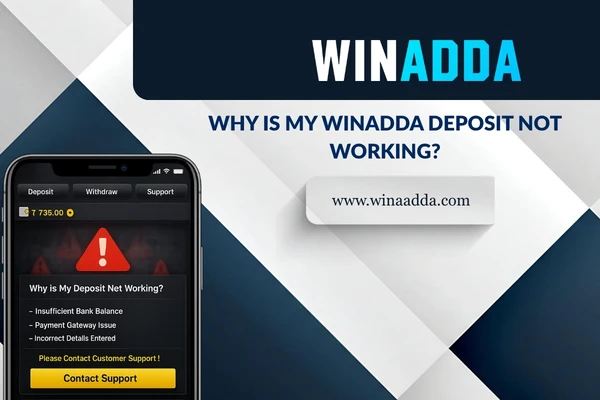
Why Is My Winadda Deposit Not Working?
A deposit may not work for different reasons. Sometimes the issue is from the user’s payment method, sometimes it is from the bank or UPI network, and sometimes it may be due to a temporary payment gateway or platform-side delay.
A failed or pending deposit does not always mean the amount is lost. In many cases, the transaction is either updated after confirmation or reversed by the bank or payment provider if it fails.
Common reasons for Winadda deposit issues include:
- Incorrect UPI ID, bank details, or payment information
- Payment session expired before completion
- Poor internet connection during payment
- Bank or UPI server delay
- Payment gateway downtime
- Daily transaction limit reached
- Insufficient account balance
- Unsupported payment method
- Deposit amount below or above allowed limits
- App or browser technical issue
- Account verification or security review
- Temporary maintenance or high transaction volume
Understanding the reason behind the issue can help you choose the right solution instead of trying the same payment again repeatedly.
Quick Checklist Before Trying Another Deposit
Before making another deposit attempt, it is important to check a few basic details. Repeating the same deposit without checking the issue may result in another failed or pending transaction.
Start by reviewing whether the payment was actually deducted from your bank account, wallet, or UPI app. Then check your Winadda wallet or transaction history to see if the deposit status is pending, failed, successful, or under review.
Before retrying, check the following:
- Is your internet connection stable?
- Are you using the official Winadda platform?
- Did you enter the correct deposit amount?
- Was the payment deducted from your bank or UPI account?
- Is your deposit showing pending in transaction history?
- Did you complete the payment before the session expired?
- Have you checked your bank or UPI transaction status?
- Are you using a supported payment method?
- Have you reached your daily bank or UPI transaction limit?
If the amount has been deducted but not credited, avoid making multiple repeated deposits immediately. Check the transaction status first and contact support if needed.

Common Reasons for Winadda Deposit Failure
Deposit problems can happen because of technical, banking, account, or user-related reasons. Below are the most common causes explained in a simple way.
1. Incorrect Payment Details
One of the most common reasons for a deposit failure is incorrect payment information. If the UPI ID, bank details, reference number, deposit amount, or payment instructions are not followed correctly, the transaction may fail or may not be matched with your Winadda account.
Even a small typing mistake can create a payment issue. For example, entering the wrong amount or using an incorrect payment reference may delay the balance update.
Before confirming a payment, always check:
- UPI ID or payment details
- Deposit amount
- Payment reference, if required
- Registered account details
- Transaction confirmation message
- Payment status in your bank or UPI app
Accurate payment information helps the system identify and update your deposit faster.
2. Payment Deducted But Not Added to Winadda Balance
Sometimes, the amount may be deducted from your bank account or UPI app, but it may not immediately reflect in your Winadda wallet. This usually happens when the bank or payment gateway has not yet sent final confirmation to the platform.
In such cases, the transaction may show as pending for some time. The amount may either be credited after confirmation or reversed by the payment provider if the transaction fails.
If your payment was deducted but not credited, you should:
- Check your Winadda transaction history.
- Confirm the payment status in your bank or UPI app.
- Wait for the payment confirmation to update.
- Avoid making repeated deposits for the same amount immediately.
- Save the transaction ID or UTR number.
- Take a screenshot of the payment confirmation.
- Contact Winadda support if the balance does not update.
Having the correct transaction proof helps the support team review the issue faster.
3. Bank or UPI Server Delay
Deposit delays may happen when the bank, UPI network, wallet provider, or payment gateway is facing temporary issues. In these situations, the payment may be deducted from your account but take longer to confirm.
This is common during high-traffic hours, bank maintenance, UPI downtime, or technical delays from the payment provider. Since the confirmation depends on the banking network, the balance may not update instantly.
Bank or UPI delays may happen due to:
- UPI server downtime
- Bank maintenance
- Payment gateway delay
- Slow transaction confirmation
- High transaction volume
- Network timeout
- Temporary technical issue
If the issue is from the bank or UPI side, the transaction usually gets updated after confirmation or reversed if it fails.
4. Payment Session Expired
Many online payment sessions are valid only for a limited time. If you take too long to complete the payment, refresh the page, close the app, or switch between multiple apps during the transaction, the session may expire.
When a payment session expires, the transaction may fail or stay pending. In some cases, the amount may be deducted but require additional confirmation from the payment provider.
To avoid session expiry:
- Complete the payment within the given time.
- Do not refresh the payment page.
- Avoid closing the app during payment.
- Do not press the back button repeatedly.
- Avoid switching networks during the transaction.
- Wait for the final confirmation screen.
Completing the payment in one smooth flow reduces the chances of deposit failure.
5. Daily Bank or UPI Transaction Limit Reached
Your bank, UPI app, or wallet may have daily transaction limits. If you have already reached your limit, the deposit may fail even if your Winadda account is working properly.
Different banks and payment apps may set limits based on account type, transaction amount, security rules, or daily usage. If the limit is reached, the payment may be declined by the bank or UPI provider.
Your deposit may fail because of:
- Daily UPI transaction limit
- Maximum single transaction limit
- Wallet spending limit
- Bank transfer limit
- New UPI ID restriction
- Security-based transaction block
- Low account balance
If you think the limit is the issue, check your banking app or payment provider before trying again.
6. Insufficient Balance in Bank or Wallet
A deposit may fail if your bank account, wallet, or UPI-linked account does not have enough balance. Sometimes users may forget that additional bank charges, previous pending payments, or blocked amounts can affect available balance.
Before making a deposit, check whether your account has enough available funds for the transaction amount.
You should verify:
- Available account balance
- UPI-linked bank account balance
- Wallet balance
- Transaction charges, if applicable
- Any previous pending deductions
- Bank restrictions on the account
If the balance is insufficient, add funds to your bank or wallet and try again through the official payment method.
7. Unsupported Payment Method
A deposit may not work if the payment method you are using is not supported by Winadda or is temporarily unavailable. Sometimes, a payment option may be disabled due to technical maintenance, provider downtime, or security checks.
If one payment method fails repeatedly, do not continue trying the same method without checking the reason. Use another available official payment option, if supported.
A payment method may fail if:
- It is not supported by the platform.
- It is temporarily under maintenance.
- The payment provider is down.
- The bank has blocked the transaction.
- The method does not support the selected amount.
- The transaction requires additional authentication.
Always use only official Winadda payment options. Avoid third-party payment links or unofficial agents.
8. Poor Internet Connection During Payment
A weak or unstable internet connection can interrupt the deposit process. If your connection drops while the payment is being processed, the transaction may fail, remain pending, or not update properly.
This issue is common when users switch between mobile data and Wi-Fi, use public networks, or lose signal during payment authentication.
For a smoother deposit experience:
- Use a stable internet connection.
- Avoid public Wi-Fi for payments.
- Do not switch networks during the payment.
- Keep your banking or UPI app open until confirmation.
- Do not close the browser or app too early.
- Try again only after checking the transaction status.
A stable connection helps complete payment authentication and confirmation correctly.
9. App or Browser Issue
Sometimes the deposit problem may be caused by the device, browser, app cache, outdated app version, or stored session errors. If the payment page is not loading, the deposit button is not working, or the transaction page keeps refreshing, technical troubleshooting may help.
If you are using a browser, clear cache and cookies before trying again. If you are using an app or mobile shortcut, make sure it is updated and working properly.
Try these steps:
- Clear browser cache and cookies.
- Use an updated browser.
- Try incognito or private mode.
- Restart your device.
- Clear app cache, if using an app.
- Update the app, if available.
- Try a different browser or device.
- Disable unnecessary browser extensions.
Technical glitches are often temporary and can be fixed with basic device or browser troubleshooting.
10. Account Verification or Security Review
In some cases, a deposit may not go through because the account requires verification or is under security review. This may happen if account details are incomplete, suspicious activity is detected, or additional checks are required.
Account security checks are used to protect users and prevent unauthorized activity. If your account is under review, certain payment features may be temporarily restricted.
Your account may need review if:
- KYC details are incomplete.
- Account information is mismatched.
- Multiple accounts are detected.
- Payment activity looks unusual.
- Login activity appears suspicious.
- The account has pending verification alerts.
If you see any account-related warning or restriction, contact official Winadda support for guidance.
Step-by-Step Solution for Winadda Deposit Not Working
If your Winadda deposit is not working, follow these steps in order. This will help you identify whether the issue is from your account, payment method, bank, browser, or platform.
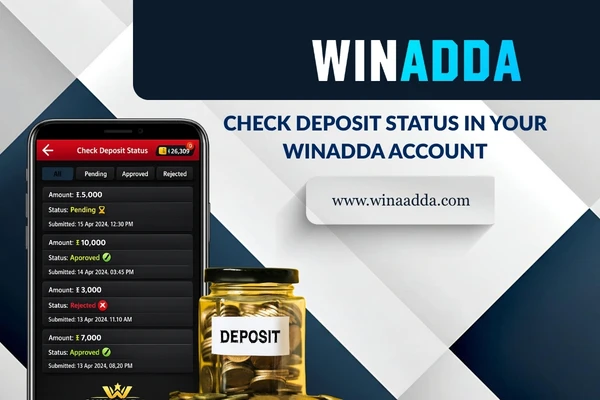
Step 1: Check Deposit Status in Your Winadda Account
First, log in to your Winadda account and check your wallet or transaction history. This will help you see whether the deposit is successful, pending, failed, or under review.
If the deposit is successful, the amount should reflect in your balance. If it is pending, it may still be waiting for payment confirmation. If it failed, check whether the amount was deducted from your bank account.
Check these details:
- Deposit amount
- Deposit date and time
- Transaction status
- Payment method used
- Transaction ID or reference number
- Wallet balance update
If the status is unclear, save a screenshot before contacting support.
Step 2: Check Bank, UPI, or Wallet Transaction Status
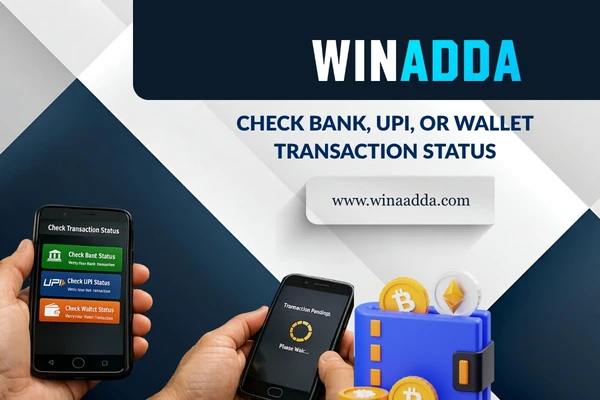
After checking your Winadda account, open your bank app, UPI app, or wallet and confirm whether the payment was successful, failed, or pending. This step is important because sometimes the payment may fail from the bank side even if you started the deposit correctly.
If the bank shows the payment as failed, the amount is usually not deducted or may be reversed. If it shows successful but Winadda balance is not updated, you should keep the transaction proof ready.
You should check:
- Bank debit confirmation
- UPI transaction status
- UTR or transaction reference number
- Payment time
- Payment recipient details
- Refund or reversal status
This information helps support match the payment with your Winadda account.
Step 3: Wait for Payment Confirmation
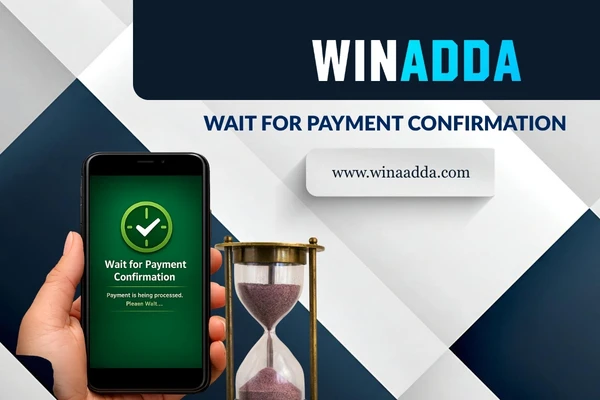
If the amount has been deducted but has not appeared in your Winadda wallet, wait for the transaction status to update. Some payments take longer because the confirmation from the bank or payment gateway is delayed.
During this time, avoid making repeated payments for the same amount unless the previous transaction has clearly failed or has been reversed.
You should wait and monitor the status if:
- Payment is successful in your bank app
- Winadda transaction is showing pending
- UPI status is under processing
- Payment gateway confirmation is delayed
- Bank server is slow
- The transaction happened during peak hours
If the amount still does not reflect after a reasonable time, contact Winadda support with proof.
Step 4: Do Not Repeat the Same Failed Payment Immediately
If your first deposit attempt fails, do not keep repeating the same payment again and again without checking the reason. Repeated attempts may create multiple pending transactions or increase confusion during support review.
Before retrying, identify whether the issue is due to incorrect details, payment method failure, account restriction, bank limit, or internet problem.
Before making another attempt:
- Check whether the previous amount was deducted.
- Confirm if the failed transaction was reversed.
- Review the error message.
- Check your bank or UPI limit.
- Use a stable internet connection.
- Try a supported alternative payment method, if available.
Retrying carefully is safer than making multiple deposits in a hurry.
Step 5: Try Another Official Payment Method
If one payment option is not working, another official payment method may work better. Sometimes a particular bank, UPI app, wallet, or gateway may face temporary issues.
However, users should only use payment options available through the official Winadda platform. Avoid payment links sent by unknown people or unofficial agents.
If available, you may try:
- Another UPI app
- Another linked bank account in your own name
- Wallet payment
- Bank transfer
- Another official payment option shown on the platform
Make sure the payment method belongs to you and matches your account details if verification is required.

Step 6: Clear Cache or Try Another Device
If the deposit page is not loading or the payment button is not working, the issue may be technical. Clearing cache, using another browser, or trying another device can help.
This is especially useful when the page freezes, redirects incorrectly, shows a blank screen, or does not move to the payment gateway.
Try the following:
- Clear browser cache and cookies.
- Restart your browser.
- Use incognito mode.
- Try another browser.
- Restart your mobile phone.
- Update your app or browser.
- Try from another trusted device.
- Avoid using public or shared devices.
Make sure you only log in from a secure device and never save passwords on shared systems.
Step 7: Contact Winadda Support
If your deposit is still not working after trying the above steps, contact Winadda support through official channels. Support can check whether the payment was received, pending, failed, or needs manual verification.
When contacting support, provide clear details. This helps the team review your issue faster and avoid unnecessary back-and-forth communication.
Keep these details ready:
- Registered mobile number or email ID
- Username or account ID, if available
- Deposit amount
- Date and time of payment
- Payment method used
- Transaction ID or UTR number
- Screenshot of bank or UPI confirmation
- Screenshot of Winadda transaction status
- Error message, if shown
Never share your password, OTP, login code, or full banking credentials with anyone.
What to Do If Money Was Debited But Deposit Failed
If money was debited from your bank account but the Winadda deposit failed, do not panic. In many cases, failed payments are reversed by the bank or payment provider. If the transaction is successful at the bank but not updated on Winadda, the support team may need to verify it.
The first step is to check whether the transaction is successful, failed, or pending in your bank or UPI app. Then check your Winadda wallet history.
If money was debited but not credited:
- Save the payment screenshot.
- Note the UTR or transaction ID.
- Check if the amount is reversed automatically.
- Avoid making repeated payments immediately.
- Contact support with transaction proof.
- Wait for confirmation from the payment provider.
- Keep your registered details ready.
Transaction proof is important because it helps the team trace the payment accurately.
What to Do If Deposit Is Pending
A pending deposit means the transaction has not received final confirmation yet. This may happen due to bank delay, UPI processing, payment gateway response time, or platform verification.
Pending status may update automatically once confirmation is received. If it remains pending for too long, support can help check the transaction.
If your deposit is pending:
- Check your bank or UPI payment status.
- Wait for confirmation from the payment provider.
- Do not refresh or repeat the same payment continuously.
- Keep the transaction ID ready.
- Contact support if the status does not update.
- Share screenshots only through official support channels.
A pending deposit should be reviewed with proper transaction details instead of guessing the cause.
What to Do If Deposit Failed But Money Was Not Deducted
If your deposit failed and money was not deducted, the transaction did not complete. In this case, you can usually try again after checking the reason for failure.
Before retrying, check whether the error was caused by internet connection, bank limit, payment method issue, or expired session.
You can try again after:
- Checking your internet connection
- Confirming sufficient bank balance
- Verifying payment limits
- Using the correct payment details
- Restarting the app or browser
- Trying another official payment option
- Waiting if the payment gateway is down
Make sure you complete the payment process fully and wait for the final confirmation screen.

Winadda Deposit Not Showing in Account
If your deposit is not showing in your Winadda account, it may still be pending confirmation or may not have been matched with your account due to missing or incorrect details.
This can happen if the amount, payment reference, or transaction data does not match correctly. In such cases, support may need the payment proof to verify and update the transaction.
Your deposit may not show because of:
- Payment confirmation delay
- Incorrect payment reference
- Bank or gateway processing issue
- Wrong deposit amount
- Network interruption
- Payment made through unofficial source
- Transaction not completed successfully
Always make deposits only through the official Winadda platform to avoid tracking issues.

Mobile Deposit Problems on Winadda
Many users make deposits through mobile devices because it is convenient. However, mobile payments can fail if the internet connection is unstable, the payment app is not updated, or the user switches apps too quickly during payment.
When making a deposit from mobile, keep the process simple. Open the official Winadda platform, choose the deposit option, complete the payment, and wait for confirmation.
For smoother mobile deposits:
- Use a stable mobile network or Wi-Fi.
- Keep your UPI or banking app updated.
- Do not close the payment app during transaction.
- Avoid switching between too many apps.
- Keep enough phone storage available.
- Update your browser or app.
- Do not use battery saver if it interrupts payments.
- Wait for the final success or failure message.
Mobile deposits usually work smoothly when the payment flow is completed without interruption.
Browser Deposit Problems on Winadda
If you are using Winadda through a browser, deposit problems may occur due to cache, cookies, browser extensions, outdated versions, or pop-up restrictions.
A browser issue can stop the payment page from loading correctly or prevent redirection to the payment gateway.
To fix browser-related deposit issues:
- Clear cache and cookies.
- Update your browser.
- Disable pop-up blockers temporarily.
- Turn off unnecessary extensions.
- Use incognito mode.
- Try a different browser.
- Make sure JavaScript is enabled.
- Restart the browser and try again.
If the issue continues on one browser, switching to another trusted browser may help.
Deposit and Bonus Issues
Some deposits may be connected to bonus offers or promotional benefits. If your deposit is successful but the bonus is not applied, it may be because the offer conditions were not met.
Bonus-related issues do not always mean the deposit failed. The deposit may be successful, but the bonus may require minimum amount, eligible payment method, time limit, or wagering conditions.
Before expecting a bonus, check:
- Minimum deposit requirement
- Eligible payment method
- Offer validity period
- Bonus activation rules
- Wagering or turnover conditions
- Maximum bonus limit
- Terms for bonus withdrawal
If you believe you met all conditions but the bonus was not added, contact Winadda support with deposit proof and offer details.
Deposit and Withdrawal Relationship
A successful deposit can also affect your withdrawal experience later. If the deposit is not properly reflected, or if there is a payment mismatch, withdrawal processing may be affected.
That is why users should make deposits carefully and keep payment proof when needed. Correct deposit records help maintain a clear transaction history and reduce confusion during withdrawal review.
Before requesting a withdrawal, make sure:
- Your deposit has reflected correctly.
- Your account balance is updated.
- Your KYC is completed, if required.
- Your payment details are correct.
- Bonus conditions are completed.
- There are no pending deposit issues.
A clean deposit record helps support smoother account and withdrawal processing.
Security Tips During Winadda Deposits
Deposit safety is very important. Users should always protect their payment details and avoid unofficial links or agents. Fake links can look similar to real pages and may be used to collect sensitive information.
Winadda users should always complete deposits through official channels only. No one should ask for your password, OTP, remote access, or full banking details to complete a deposit.
Follow these safety tips:
- Use only the official Winadda platform.
- Do not click unknown payment links.
- Never share OTP or password.
- Avoid paying personal bank accounts unless officially instructed by the platform.
- Do not use public Wi-Fi for payments.
- Keep payment screenshots private.
- Do not allow remote access to your phone.
- Contact official support for payment issues.
If someone claims they can fix your deposit in exchange for money, treat it as suspicious.
Common Deposit Mistakes to Avoid
Many deposit problems happen because of small mistakes. These mistakes can be avoided if users check details carefully before making payment.
A deposit should always be made through the official deposit section, using the correct method and amount. Users should also avoid rushing the process or closing the payment page too early.
Avoid these common mistakes:
- Entering the wrong deposit amount
- Using an unsupported payment method
- Paying through an unofficial link
- Closing the app before confirmation
- Switching networks during payment
- Ignoring bank transaction limits
- Using someone else’s payment method
- Repeating payment without checking status
- Not saving transaction proof
- Sharing OTP or payment details with others
Careful deposit habits can reduce failed payments and pending transaction issues.

Responsible Deposit Practices
Deposits should always be made responsibly. Online gaming should be treated as entertainment, not as a guaranteed way to earn money. Users should deposit only what they can afford and avoid emotional decisions.
If a deposit fails repeatedly, take a break and check the issue calmly. Repeated payments in frustration may create more confusion and increase financial risk.
Responsible deposit practices include:
- Set a budget before playing.
- Do not deposit more than you can afford.
- Avoid chasing losses.
- Track your deposits and gameplay.
- Take breaks when needed.
- Read bonus terms before depositing.
- Use the platform only if legally eligible.
- Contact support instead of making repeated failed attempts.
Responsible usage helps users stay in control and enjoy a safer platform experience.

When Should You Contact Winadda Support?
You should contact Winadda support if the deposit issue does not resolve after basic checks or if the amount has been deducted but not credited.
Support can help review transaction status, payment confirmation, wallet update issues, pending deposits, failed payments, and account-related restrictions.
Contact support if:
- Money was deducted but not credited.
- Deposit is pending for too long.
- You see repeated payment failures.
- The payment method is not working.
- The deposit page is not loading.
- Your account shows payment restriction.
- Bonus was not applied after deposit.
- You received an error message during payment.
Always contact support only through official Winadda channels.
Winadda Deposit Not Working: Final Advice
If your Winadda deposit is not working, start by checking your payment details, transaction status, internet connection, bank or UPI limit, browser/app performance, and account verification status. Most deposit issues can be resolved by identifying the exact reason and following the correct steps.
If money has been deducted but not credited, keep your transaction ID, UTR number, payment screenshot, and registered account details ready. Contact official Winadda support for assistance and avoid making repeated deposits until the previous transaction status is clear.
For a smooth deposit experience, always use the official Winadda platform, enter accurate details, complete payment within the session time, keep proof of successful transactions, and follow responsible deposit practices.
FAQs About Winadda Deposit Not Working
Why is my Winadda deposit not working?
Your Winadda deposit may not be working due to incorrect payment details, bank or UPI server delay, payment gateway issue, poor internet connection, expired payment session, unsupported payment method, account verification issue, or daily transaction limit.
Why is my Winadda deposit not working?
If money was deducted but not added to your Winadda balance, check your transaction history, save the payment screenshot, note the UTR or transaction ID, and contact official Winadda support if the balance does not update.
Why is my Winadda deposit pending?
A pending deposit usually means the payment is waiting for confirmation from the bank, UPI network, wallet, or payment gateway. It may update automatically once confirmation is received.
Can wrong payment details cause deposit failure?
Yes. Incorrect UPI ID, wrong amount, missing reference, or payment through an unofficial method can cause deposit failure or delay.
Can bank or UPI limits stop my deposit?
Yes. Your bank, wallet, or UPI app may have daily limits or single transaction limits. If the limit is reached, the payment may fail.
Should I try another deposit if the first one is pending?
It is better to wait and check the first transaction status before making another deposit. Repeated attempts may create multiple pending payments.
What details should I give to Winadda support?
You should provide your registered mobile number or email ID, deposit amount, payment method, transaction ID or UTR number, date and time, payment screenshot, and any error message shown.
Can app or browser issues affect deposits?
Yes. Browser cache, outdated app versions, poor device performance, or blocked redirects can affect the deposit process. Clearing cache, updating the app, or using another browser may help.
Is it safe to use third-party payment links for Winadda deposits?
No. Users should make deposits only through the official Winadda platform. Avoid unknown links, unofficial agents, or personal payment requests.
Does Winadda ask for OTP or password to fix deposit issues?
No. You should never share your OTP, password, login code, or full banking details with anyone. Any request for such information should be treated as suspicious.