
How to Get Winadda ID
A Winadda ID gives users access to the Winadda platform. With one ID, users can log in, open their dashboard, explore available sports markets, check casino games, view account options, and contact support when needed.
Getting a Winadda ID is simple, but users should always use trusted Winadda channels. Fake links, unknown numbers, and unofficial pages can put account details at risk. This guide explains how to get a Winadda ID safely and how to use it after signup.
Why Winadda ID is Important
A Winadda ID works like your main account access. Without it, users may not be able to use the full platform features.
With a Winadda ID, users can:
- Access the Winadda dashboard
- Explore cricket, football, tennis, kabaddi, and other sports markets
- Check casino games, slots, and live gaming options
- Manage account and wallet details
- View offers and platform updates
- Contact support for faster help
- Use Winadda from mobile or desktop
It keeps your platform activity organised in one place.
Who Can Create a Winadda ID?
Winadda is intended only for users who are 18 years or older. Users should create an account only if online gaming or betting-related services are allowed in their location.
Before creating an ID, users should make sure they:
- Meet the age requirement
- Have a working mobile number
- Can provide correct basic details
- Understand that betting may involve financial risk
- Are using a trusted Winadda page or support channel
- Are ready to keep login details private
Users should not create an account with fake information or someone else’s details.

How to Create Winadda ID
Follow these simple steps to create your Winadda ID:
Visit the trusted Winadda platform
Open the official or trusted Winadda website/app access page. Make sure the page looks genuine before entering any details.
Click on signup or get ID option
Find the registration, signup, create account, or get ID button. Some users may also create an ID with help from official support.
Enter basic details
Add the required information such as name, mobile number, email address, username, or other account details requested during signup.
Complete verification if required
You may need to verify your mobile number, email address, or account details. If OTP verification is used, enter it only on the trusted Winadda page.
Create your login details
Set a username and password, or save the login details provided during account setup. Keep these details private.
Log in to your dashboard
Once your ID is active, use your Winadda ID and password to access the dashboard.
Check your account details
After login, review your profile, wallet section, game options, and support access so you understand how the platform works.
Details You May Need During Signup
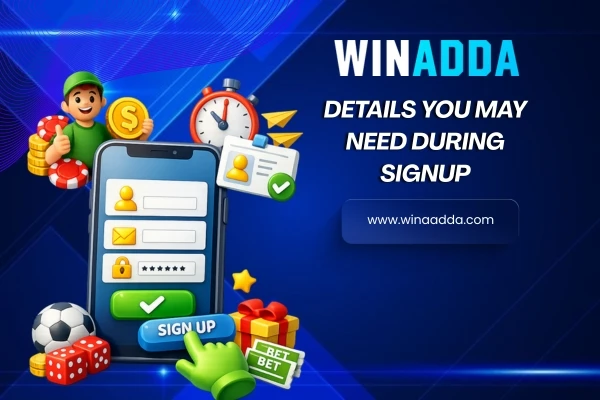
The signup process may ask for basic information. The exact details can depend on the current Winadda account setup process.
Users may need:
- Full name
- Mobile number
- Email address
- Preferred username
- Age confirmation
- Basic address or location details, if required
- Verification details, if requested
Always use correct details. Wrong information can create login issues, verification delays, or support problems later.
Winadda ID Through WhatsApp or Support
Some users may look for Winadda ID help through WhatsApp or customer support. If you use support to create or activate your ID, make sure the contact number or link is official and trusted.
Support may help with:
- New Winadda ID creation
- Signup steps
- Username or password help
- Account activation
- Login guidance
- Mobile access help
- Verification support
Do not share OTPs, banking passwords, card PINs, or private payment details with anyone. Genuine support should not ask for sensitive security information.
How to Login After Getting Winadda ID
After your ID is created, logging in is easy.
- Open the trusted Winadda login page.
- Enter your Winadda ID or username.
- Enter your password.
- Complete any security step if required.
- Access your dashboard.
If login does not work, check your username and password first. If the issue continues, contact official support instead of trying random links.
What You Can Do After Login
After logging in with your Winadda ID, users may access different platform sections from the dashboard.
You can explore:
- Sports betting options
- Cricket and IPL markets
- Football, tennis, kabaddi, and other sports
- Casino games and live casino sections
- Slots and card games
- Wallet and account details
- Bonus and referral offers
- Customer support options
- Account settings and activity
Users should take some time to understand the dashboard before using advanced features.
Winadda ID on Mobile
A Winadda ID can be used on mobile through mobile web access, app access, or APK options where available. Mobile access is useful because users can log in, check games, and manage their account from their phone.
For safe mobile use:
- Use trusted Winadda links only
- Avoid unknown APK files
- Keep your phone secure
- Do not save passwords on shared devices
- Log out after using another person’s phone
- Update your browser or app when needed
Mobile access should be simple, but safety should always come first.
Common Problems While Creating Winadda ID
Users may sometimes face small issues while creating or using a Winadda ID. Most of these can be solved by checking details or contacting support.
Signup Page Not Opening
Check your internet connection, refresh the page, or try opening the trusted Winadda page again. Avoid clicking random links from unknown sources.
OTP Not Received
Wait for a few minutes and check whether your mobile number is correct. If the OTP still does not arrive, contact support through trusted channels.
Wrong Details Submitted
If you entered incorrect details during signup, contact support and request correction. Do not create multiple accounts to fix the issue.
Password Not Working
Check spelling, capital letters, and saved password details. If the password still does not work, use the recovery option or contact support.
ID Not Activated
Sometimes account activation may take time due to verification or support review. Contact support with your registered details if the delay continues.
How to Keep Your Winadda ID Safe
Your Winadda ID should be protected like any other online account. If someone gets access to your login details, they may misuse your account.
Follow these safety tips:
- Use a strong password
- Do not share your password with anyone
- Never share OTPs
- Avoid fake login pages
- Do not trust random WhatsApp or Telegram links
- Use only verified support channels
- Log out from shared devices
- Report suspicious activity quickly
- Keep your registered mobile number active
A safe account gives users a better and smoother experience.
Winadda ID and Responsible Gaming
Winadda is for users who are 18 years or older. Users should treat online gaming as entertainment and stay within personal limits.
Responsible use means:
- Set a budget before playing
- Do not chase losses
- Avoid playing under stress
- Take breaks when needed
- Do not borrow money for gaming
- Use the platform only where legally allowed
- Stop if gaming feels difficult to control
A Winadda ID should be used carefully and responsibly.
FAQs About How To Get Winadda ID
1. What is a Winadda ID?
A Winadda ID is your account access to the Winadda platform. It helps users log in, open the dashboard, explore sports and casino options, manage account details, and contact support.
2. How do I get a Winadda ID?
You can get a Winadda ID by visiting the trusted Winadda platform, clicking signup or get ID, entering the required details, completing verification if needed, and logging in to your dashboard.
3. What details are required to create a Winadda ID?
Users may need basic details such as full name, mobile number, email address, username, age confirmation, and verification information if requested.
4. Can I create Winadda ID on mobile?
Yes, users can create or access a Winadda ID on mobile through mobile web, app access, or available APK options. Always use trusted Winadda links.
5. Why do I need a Winadda ID?
A Winadda ID is needed to access the dashboard, sports markets, casino games, wallet section, offers, account settings, and support features.
6. Can I use one Winadda ID for sports and casino games?
In most cases, one Winadda ID can be used to access available sports betting, casino games, wallet options, bonuses, and support features after login.
7. What should I do if I forget my Winadda ID or password?
Use the recovery option if available or contact official support with your registered details. Do not share OTPs or passwords with unknown accounts.
8. Why is my Winadda ID not working?
Your ID may not work due to wrong login details, pending activation, verification issues, blocked access, or technical problems. Contact support if the issue continues.
9. Can I create multiple Winadda IDs?
Users should avoid creating multiple IDs. Multiple accounts may cause verification issues, bonus misuse concerns, or account restrictions.
10. Is Winadda ID safe?
A Winadda ID is safer when users use trusted links, keep passwords private, avoid fake support accounts, and never share OTPs.
11. Is Winadda ID only for 18+ users?
Yes, Winadda is intended only for users who are 18 years or older. Users should follow local rules and use the platform responsibly.