
How to Login to Winadda
Logging in to Winadda is simple when you have your Winadda ID and password ready. The login page gives users access to their account dashboard, sports betting options, casino games, wallet section, bonuses, support, and other platform features.
This guide explains how to login to Winadda, what details you need, what to do if login is not working, and how to keep your account safe while using the platform.
Winadda users should always use trusted login links and avoid fake websites, unknown APK files, or unofficial support numbers. Your login details are private, so never share your password or OTP with anyone.
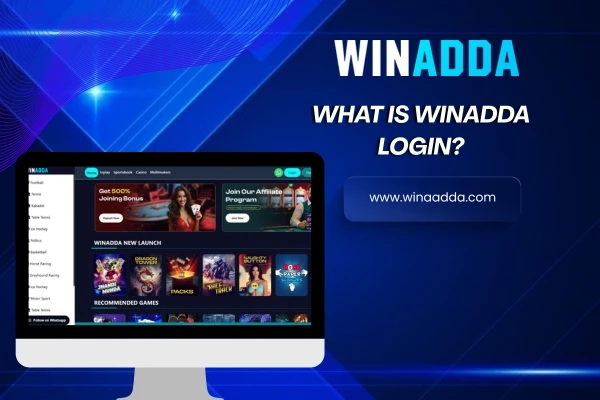
What is Winadda Login?
Winadda login is the process of accessing your account with your Winadda ID or username and password. After successful login, users can open their dashboard and use the available platform features.
Through the Winadda dashboard, users may be able to:
- Explore sports betting markets
- Access cricket, football, tennis, and kabaddi options
- Check casino games, slots, and live casino sections
- View wallet and account details
- Check bonuses and referral offers
- Contact customer support
- Manage account activity
A safe login helps protect your account and gives you better control over your Winadda activity.
What You Need Before Login
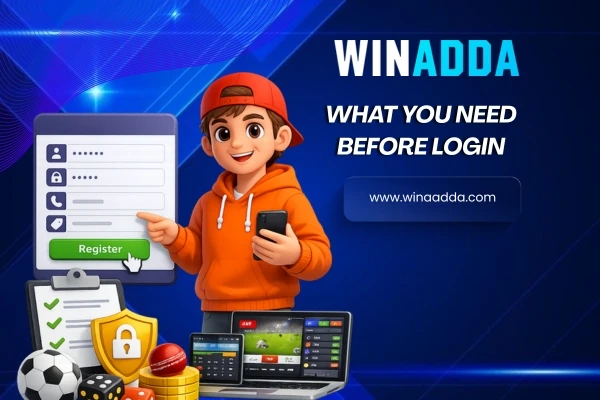
Before logging in to Winadda, make sure you have the correct details and a safe connection.
You may need:
- Winadda ID or username: This is your account identity used to access the platform.
- Password: Use the password linked with your Winadda account.
- Stable internet connection: A slow or unstable connection may cause login errors.
- Trusted Winadda link: Always open the login page from a trusted source.
- Registered mobile number or email: This may be needed for account recovery or verification.
- OTP, if required: If the platform asks for OTP verification, enter it only on the trusted Winadda page.
Never share your OTP, password, banking password, or private account details with anyone.
What You Need Before Login
Follow these simple steps to login to your Winadda account:
Winadda Login on Mobile
Many users prefer logging in from mobile because it is quick and easy. Winadda can be accessed through mobile web, app access, or APK options where available.
For mobile login:
- Open the trusted Winadda link on your phone.
- Enter your Winadda ID or username.
- Enter your password.
- Complete OTP or security check if required.
- Access your mobile dashboard.
For safer mobile login, keep your phone locked, avoid unknown APK files, and do not save passwords on shared devices.

Winadda Login on Android
Android users may access Winadda through mobile browser or available app/APK options. If using an APK, always make sure it comes from a trusted Winadda source.
Android login tips:
- Use updated browser or app version
- Avoid fake APK download links
- Clear cache if the page is not loading
- Check internet connection before login
- Do not allow unknown apps to access sensitive data
- Log out if using another person’s device
Winadda Login on iPhone
iPhone and iPad users can access Winadda through Safari or other trusted mobile access options. The login process is simple and similar to desktop.
iOS login tips:
- Open Winadda through Safari or trusted browser
- Use the correct login link
- Keep your device updated
- Avoid saving passwords on shared devices
- Contact support if the login page is not opening
What You Can Access After Login
After logging in to Winadda, users can explore different sections from the dashboard.
You may be able to access:
- Sports betting section: Cricket, football, tennis, kabaddi, and other sports markets.
- Casino games: Slots, live casino, Teen Patti, Andar Bahar, roulette, blackjack, baccarat, and other games where available.
- Wallet section: Account balance, deposit options, withdrawal requests, and transaction activity.
- Bonuses and offers: Welcome offers, referral bonuses, login rewards, or event-based promotions where available.
- Support section: Help for login, account, app, payment, bonus, or game-related questions.
- Account settings: Profile details, password settings, and account security options where available.
Common Winadda Login Problems
Sometimes users may face login issues. Most login problems happen because of wrong details, poor internet, expired sessions, or unsafe links.
Wrong Username or Password
Check your Winadda ID, username, and password carefully. Make sure there are no typing mistakes, extra spaces, or wrong capital letters.
Login Page Not Opening
If the login page is not opening, check your internet connection, refresh the page, clear browser cache, or try again from a trusted browser.
OTP Not Received
If OTP is required but not received, wait for a few minutes and check your mobile network. Make sure your registered number is active.
Account Locked or Restricted
An account may be restricted because of wrong login attempts, verification issues, suspicious activity, or platform policy checks. Contact support for help.
App Login Not Working
If app login is not working, restart the app, update it if available, clear cache, or try mobile web access.
What to Do If You Cannot Login
If you cannot login to Winadda, follow these steps:
- Check your login details
Make sure your Winadda ID and password are correct. - Check your internet connection
Slow internet can stop the login page from loading properly. - Try refreshing the page
Refresh the login page or restart the app. - Clear browser or app cache
Old cache can sometimes create loading problems. - Use a trusted login link
Avoid unknown links from random messages or unofficial sources. - Contact Winadda support
If the problem continues, contact support with your Winadda ID, issue details, screenshot, or error message.

Details to Share with Support
If you contact support for login help, share only the details needed to identify the problem.
You may share:
- Winadda ID
- Registered mobile number or email, if required
- Device type, such as Android, iPhone, or desktop
- Browser or app version, if known
- Error message, if shown
- Screenshot of the issue, if available
Do not share your password, OTP, banking PIN, card PIN, or private payment details with anyone.

How to Keep Your Winadda Login Safe
Login safety is very important. Users should protect their Winadda ID and password at all times.
Follow these safety tips:
- Use only trusted Winadda links
- Keep your password private
- Never share OTPs
- Avoid fake login pages
- Do not save passwords on shared devices
- Use a strong password
- Log out after using public or shared devices
- Report suspicious activity quickly
- Avoid unknown WhatsApp or Telegram links
A safe login habit helps protect your account from misuse.
Mistakes to Avoid During Login
Many login issues happen because users rush or use unsafe links. Avoid these common mistakes:
- Entering the wrong Winadda ID
- Using an old or incorrect password
- Clicking fake login links
- Sharing OTP with unknown people
- Saving passwords on someone else’s phone
- Using unknown APK files
- Ignoring account verification messages
- Trying repeated login attempts without checking details
- Contacting fake support numbers
Taking a few seconds to check everything can save you from account problems later.
Winadda Login and Account Recovery
If you forget your Winadda ID or password, use the available recovery option or contact official support. Account recovery may require registered mobile number, email, or account verification.
For account recovery:
- Open the trusted login page.
- Click forgot password or recovery option, if available.
- Enter registered details.
- Complete OTP or verification step if required.
- Set a new password or follow support guidance.
Use a strong password after recovery and avoid using the same password on multiple platforms.

Winadda Login for Sports and Casino Access
After login, users can explore sports and casino sections based on platform availability.
Sports users may access cricket, IPL, football, tennis, kabaddi, and live markets. Casino users may explore slots, live casino, card games, Teen Patti, Andar Bahar, roulette, blackjack, and baccarat where available.
Users should understand the rules of each market or game before using the platform.
Responsible Use After Login
Winadda is intended only for users who are 18 years or older. Betting and online gaming may involve financial risk, so users should play responsibly.
Responsible use means:
- Set a budget before playing
- Do not chase losses
- Avoid playing under stress
- Take regular breaks
- Do not borrow money for betting
- Use Winadda only where legally allowed
- Stop if gaming feels difficult to control
- Treat betting as entertainment

FAQs About Winadda Login
1. How do I login to Winadda?
Open the trusted Winadda login page, enter your Winadda ID or username, enter your password, complete verification if required, and click login to access your dashboard.
2. What details do I need for Winadda login?
You usually need your Winadda ID or username and password. Sometimes OTP or account verification may also be required.
3. Can I login to Winadda on mobile?
Yes, users can login to Winadda through mobile web, app access, or APK options where available. Always use trusted Winadda links.
4. Why is my Winadda login not working?
Login may fail due to wrong username, incorrect password, poor internet, expired session, restricted account, or fake login link. Check details and contact support if needed.
5. What should I do if I forget my Winadda password?
Use the forgot password or recovery option if available. You can also contact official support with your registered account details.
6. Is OTP required for Winadda login?
OTP may be required for verification or account security in some cases. Enter OTP only on the trusted Winadda page and never share it with anyone.
7. Can I use the same Winadda login for sports and casino games?
In most cases, one Winadda ID may give users access to available sports betting, casino games, wallet section, bonuses, and support features after login.
8. Why is my account locked?
An account may be locked due to repeated wrong login attempts, verification issues, suspicious activity, or platform policy checks. Contact support for help.
9. Is Winadda login safe?
Winadda login is safer when users access the platform through trusted links, keep passwords private, avoid fake pages, and never share OTPs.
10. Can I save my Winadda password on my phone?
It is better not to save your password on shared or public devices. If you save it on your personal phone, make sure your phone is locked and secure.
11. What should I share with support for login help?
You may share your Winadda ID, registered mobile/email, device type, screenshot, or error message. Never share your password or OTP.
12. Is Winadda login only for 18+ users?
Yes, Winadda is intended only for users who are 18 years or older. Users should follow local rules and use the platform responsibly.